
Find out more about the types of generative AI tools available and how to access them.
Disclaimer
Please note that given the rapid development of AI tools, this information may at times become out of date. This page was last updated in March 2026.
If you would like advice or guidance in using these tools, please get in touch with Educational Enhancement at ee@sussex.ac.uk
Microsoft Copilot
Copilot is an AI chatbot created by Microsoft. AI Chatbots, also known as LLM (Large Language Models), are tools designed to mimic human conversation. These tools allow the user to pose questions to the chatbot in plain conversational language and then receive a response. Follow up questions can then be asked to refine or expand the original answer. Copilot can create a variety of inputs including images.
Signing in with your Sussex credentials will ensure staff and students can access a data protected version of Copilot which will keep any entered data safe and private.
- Get started with MS Copilot
Find out how to access Microsoft Copilot and how to use it for teaching and learning.
What's Copilot?
All staff and students at Sussex now have access to a protected web version of Microsoft Copilot that can be accessed with your Sussex account. This gives you access to a version of Copilot that helps to protect your data.
Copilot is a generative AI Chatbot that allows users to ask questions in plain English and receive answers, alongside the ability to generate images and other content, please see our uses and limitations of generative AI page for further information.
Why should I use Copilot?
Being logged into Copilot with your Sussex account means that your data is protected. Your chat results won't saved or made available to Microsoft, meaning any data isn’t passed outside of the organisation. This is in contrast to both the free version of Copilot and other AI tools which may not be protecting your data. If you are using university data in an AI tool, such as learning and teaching content, then ensure you use Copilot.
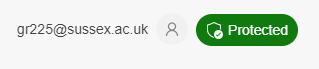
You can tell that you are logged into the data protected version of Copilot by looking at the right-hand corner of the screen where you will see your university email and a green protected symbol.
Accessibility
Accessibility features found in CoPilot include:
- keyboard navigation
- screen reader compatibility
- high contrast modes
- Read Aloud tool which converts text to speech
- dictation, which converts speech to text
- generated images include descriptive alt text for screen readers.
How do I access Copilot?
Go to the Microsoft Copilot website and then follow the steps below to sign in:
1. Select the Sign in option in the top right-hand corner of the page
2. Within the submenu that appears select Sign in with a work or school account
3. Sign in when prompted with your Sussex account detailsPlease note that Copilot is currently only supported within Chrome or Edge browsers.
Where can I get further help?
Educational Enhancement will be running workshops as an introduction to Copilot as well as ways that AI can be used for teaching and learning.
You can also contact your School’s Learning Technologist or email the team at EE@sussex.ac.uk with any queries or requests.
Adobe Firefly
Adobe Firefly is a suite of creative generative AI models developed by Adobe, focusing on image generation. AI Image Generation usually means text-to-image, where a user can type out a textual description of the image they'd like and the AI tool will generate an image based on the description. The models are trained on Adobe’s own image banks meaning images generated are copyright friendly.
Firefly can be accessed via the web version or is also integrated into other Adobe tools such as Photoshop. All staff have access and some students will have access dependent on their School.
Other tools
Please note aside from the above noted tools, Sussex does not endorse any other AI tools. Whilst you can use other AI tools, please apply critical thinking when using them and make your own judgements about their safety and privacy.
If any university data is being used, such as learning and teaching content, then ensure you use Copilot to protect staff and student data.